Astroworld · Build Shop

Minecraft builds, ready to paste

Detailed builds you can drop straight into your own world or server. Every pack is a single ZIP with a .litematic + .schem, the exact material list, and step-by-step load instructions for Litematica and WorldEdit.

✓ Both schematic formats✓ Full material + block count✓ Instant download✓ Watermarked & licensed to you
Starter HouseFREEEasy

Starter House

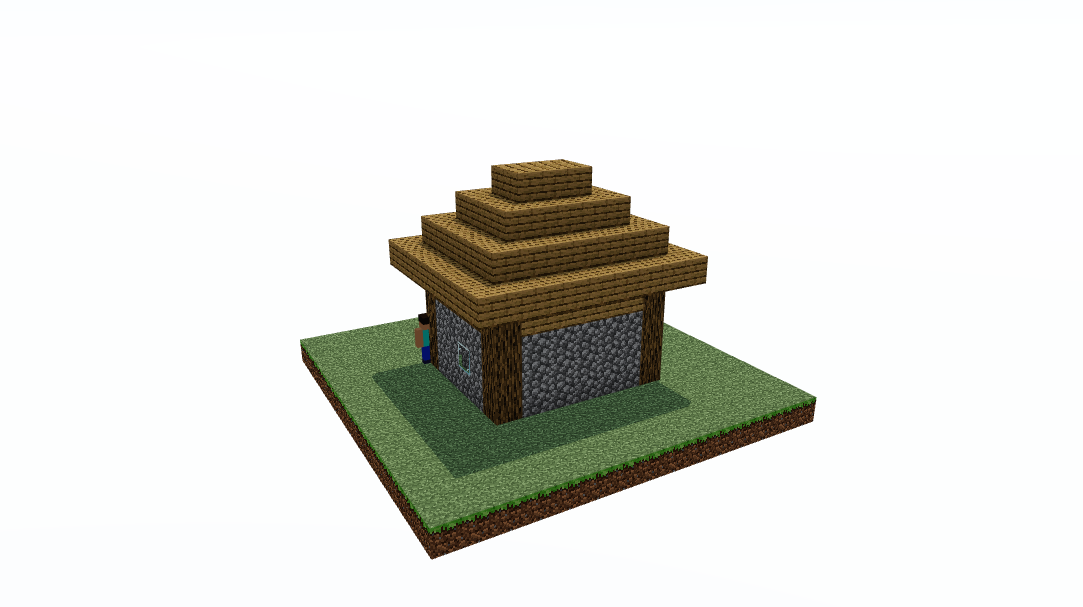
A compact survival starter home: cobblestone walls with oak-log corners, glass windows, an oak door and an overhanging hip roof.

📐 9×8×8🧱 228 blocks
Get it free →
Medieval Castle€7.99Hard

Medieval Castle

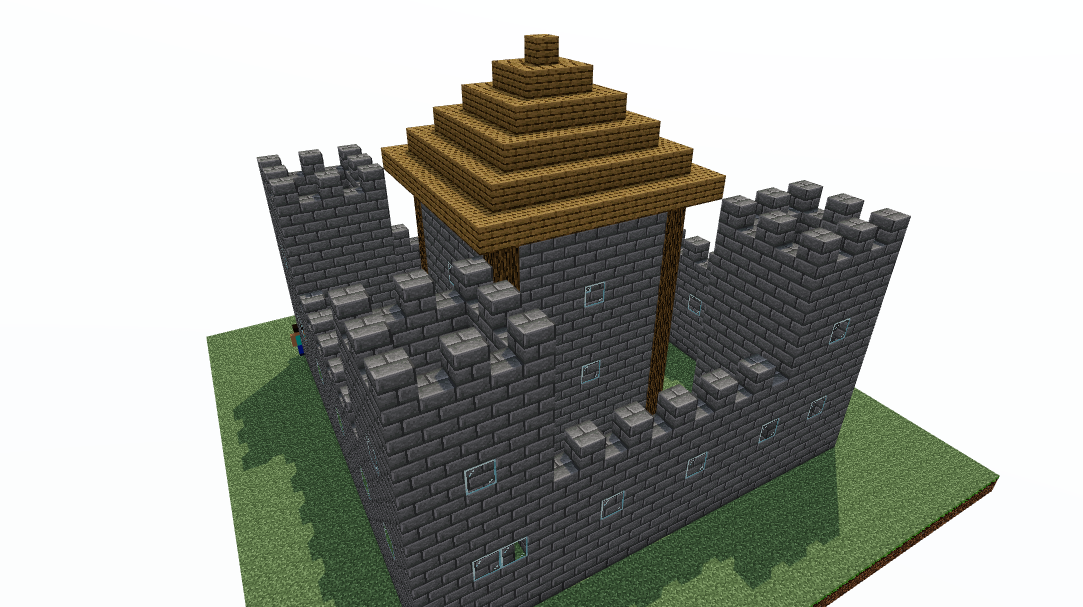
A full medieval castle: a crenellated curtain wall, four corner towers, a wooden gatehouse and a tall central keep with a stepped roof.

📐 21×21×18🧱 1,690 blocks
Get the pack · €7.99 →
Grand Castle€12.99Hard

Grand Castle

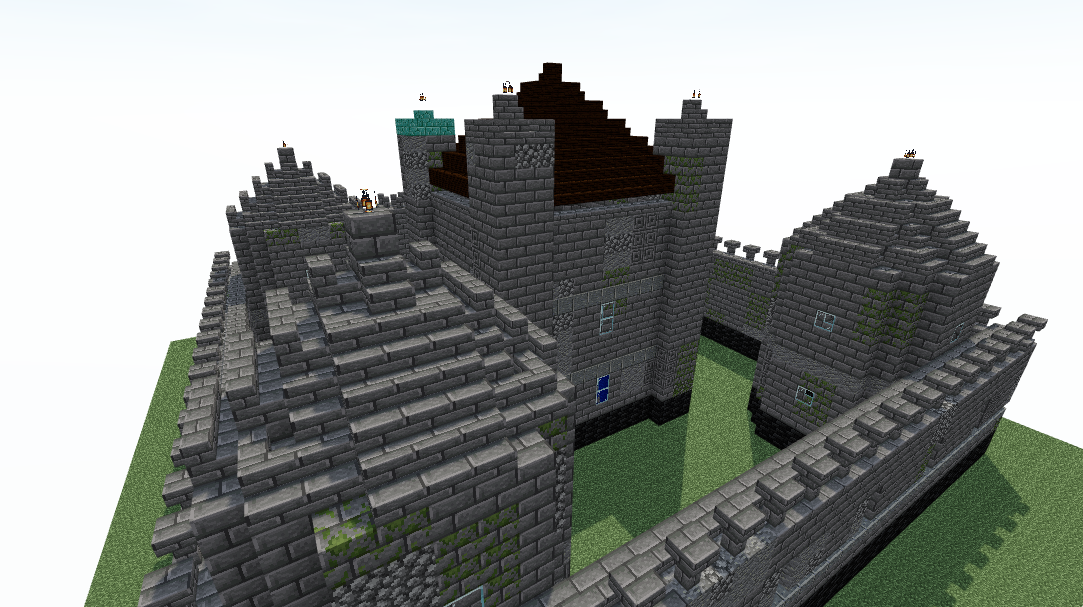
A fully detailed medieval fortress: graded stone walls with battlements and arrow slits, four round towers with conical roofs, a real gatehouse with a portcullis, and a turreted keep with a furnished great hall.

📐 41×43×23🧱 7,161 blocks
Get the pack · €12.99 →

How it works

  1. Pick a build and grab the pack (instant download after checkout).
  2. Drop the .litematic into Litematica, or //schem load the .schem in WorldEdit.
  3. Place the hologram and build into it: the README lists every block and count.

Every download is licensed for use in your own worlds and servers, and is uniquely watermarked. Resale or redistribution of the files is not allowed.

Choosing between a schematic and a written guide

A schematic gives you the proportions

The part of a build that is hard to copy from a video is the measurement: how deep the roof overhangs, how far the second floor is set back, how many blocks the tower is across. A schematic hands you all of that at once, and the block palette becomes something you can change afterwards rather than something you have to reverse engineer first.

A written guide teaches you to repeat it

Following a step by step guide is slower and leaves you able to build the same thing again somewhere else. If the goal is to learn a technique, the guides are the better route, and several of the builds sold here have a full written guide on this site that costs nothing.

Most people end up using both

Pasting a shell and then detailing it by hand is faster than either approach alone, and it is why the material list matters: it tells you what the build consumes before you commit to it. The guides below cover the same builds from the other direction.

Written guides for builds in this shop: starter house, medieval castle, small modern house, farmhouse, watchtower and mega base. The full set is in the building guides, and terraforming and lighting without torches cover what to do with the ground and the interior once a build is placed.

Quick answers

What do I actually get when I buy a build?

A pack with the build in two formats, a .litematic for Litematica and a .schem for WorldEdit, plus a material list with an exact block count and a short file that explains how to load it. Both files describe the same build, so which one you use depends only on which mod or plugin you already run.

Do I need mods to use these files?

You need one of the two: Litematica on the client side, which shows the build as a hologram you place blocks into by hand, or WorldEdit on the server side, which pastes the build in one command. There is no version of these files that works in a plain unmodded single player world.

Can I paste a build on a survival server?

That depends on the server, not on the file. WorldEdit pastes require permission on the server you are playing on, while Litematica only shows you where the blocks go and leaves you to place them yourself, which is why it is the option that works on survival servers that do not hand out world editing rights.

Will a build work on my version of Minecraft?

The schematics use blocks that have been in the game for several versions, and both formats carry the block states with them, so a build loads on the version it was made for and on the ones after it. Loading a modern build on a much older version is where blocks go missing.

Can I use these builds on a server other people play on?

Yes. The licence covers your own worlds and the servers you run, including servers with other players on them. What it does not cover is passing the files on: reselling them or sharing the download is not allowed, and every download carries a watermark that identifies it.

Do I have to build it exactly as it comes?

No, and most people do not. The material list tells you what the original uses, and swapping a wood type or a roof material through the whole build is straightforward once the shape is placed. The parts worth keeping are the proportions, which are the hard bit to get right by eye.

Blocks and items in this guide

Cobblestone in MinecraftCobblestoneOak Door in MinecraftOak Door

All 2 of these are named in the guide above, starting with Cobblestone. Look them up in the item database.